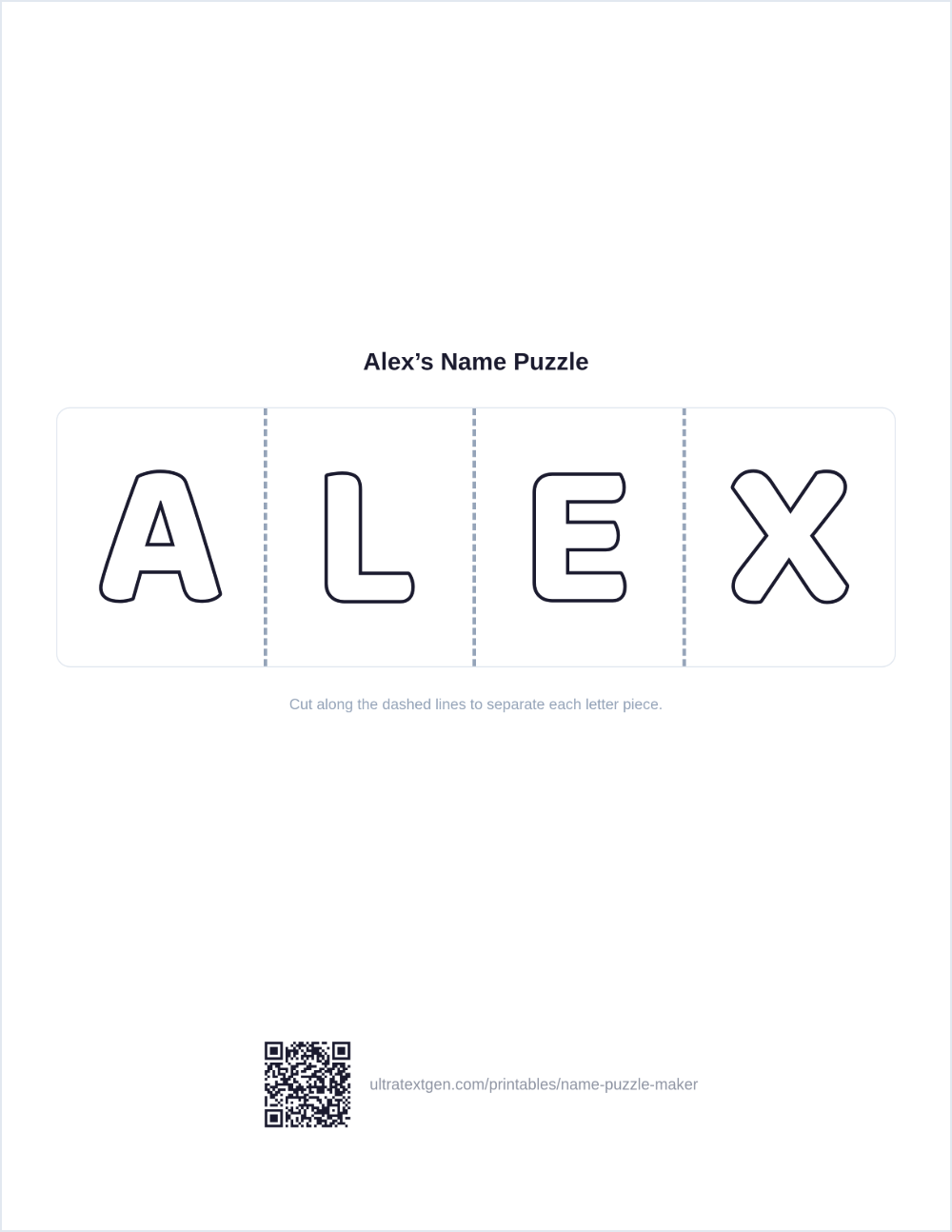
Type a name and print a puzzle: each letter becomes a big outline piece with a dashed
cut line to the next. Add an optional shape-frame border, then print it or download a
PNG. Free, no sign-up.
Make a name puzzle
Type a name, pick an optional border, and the puzzle builds live on the right, each letter as its own big outline piece with a dashed cut line to the next. Print it, cut along the dashed lines, and mix up the pieces to rebuild the name.
Shape-frame border
Class set: one puzzle per name
Paste your class list (up to 60 names) and Download PDF builds one name puzzle per name with the border picked above. Download PDF saves the whole set as one PDF. Download PNG saves the single name typed above.
Live previewUS Letter · cut-ready
Runs entirely in your browser: nothing is uploaded. Print on cardstock so the cut pieces hold up to handling.
Getting the most from a name puzzle
Cardstock first Thin paper tears at the cut lines fast. Cardstock survives little hands and repeat play.
Laminate to reuse Laminate before cutting and the pieces become a durable puzzle you can use for weeks.
Start in order Lay the pieces left to right the first few times, then shuffle them once the name is familiar.
Keep it stored A small envelope or zip pouch keeps each name's pieces together between sessions.
Want the letters as a straight tracing worksheet instead of pieces to cut? Try
name tracing worksheets. Prefer a single sheet to color rather than cut apart? Use the
coloring page maker. For copy-paste stylish letters to paste into a bio or caption, see the
font generators.
Type a name into the box. The tool instantly lays out each letter as a big outline piece in a row, with a dashed cut line between every pair of letters. Add an optional heading, a Name/Date line, and a decorative border, then press Download PDF or Download PNG. Print on cardstock, cut along the dashed lines, and mix up the pieces for a child to put the name back in order.
Name puzzles suit preschool and kindergarten learners practicing letter recognition, name spelling, and early scissor and fine-motor skills. An adult usually does the cutting for younger children; older kids can cut their own pieces along the dashed lines.
Yes. Pick a shape-frame border (stars, hearts, dots, flowers, or a mixed party set) and it prints as a decorative strip above and below the letter pieces. Choose None for a plain sheet.
Completely free, with no sign-up, account, or watermark. Everything is generated in your browser and nothing is uploaded. Make as many puzzles as you like for any name or short word.
Regular paper works, but cardstock holds up much better once the pieces are cut apart, handled, and stored. Laminating the sheet before cutting makes the pieces reusable for many practice sessions.
Yes. Open Class set: one puzzle per name, paste your class list with one name per line (up to 60 names),
and Download PDF builds one cut-apart puzzle per child with the border you picked. Download PDF saves it
“Save as PDF” to keep the whole set as a single PDF file.