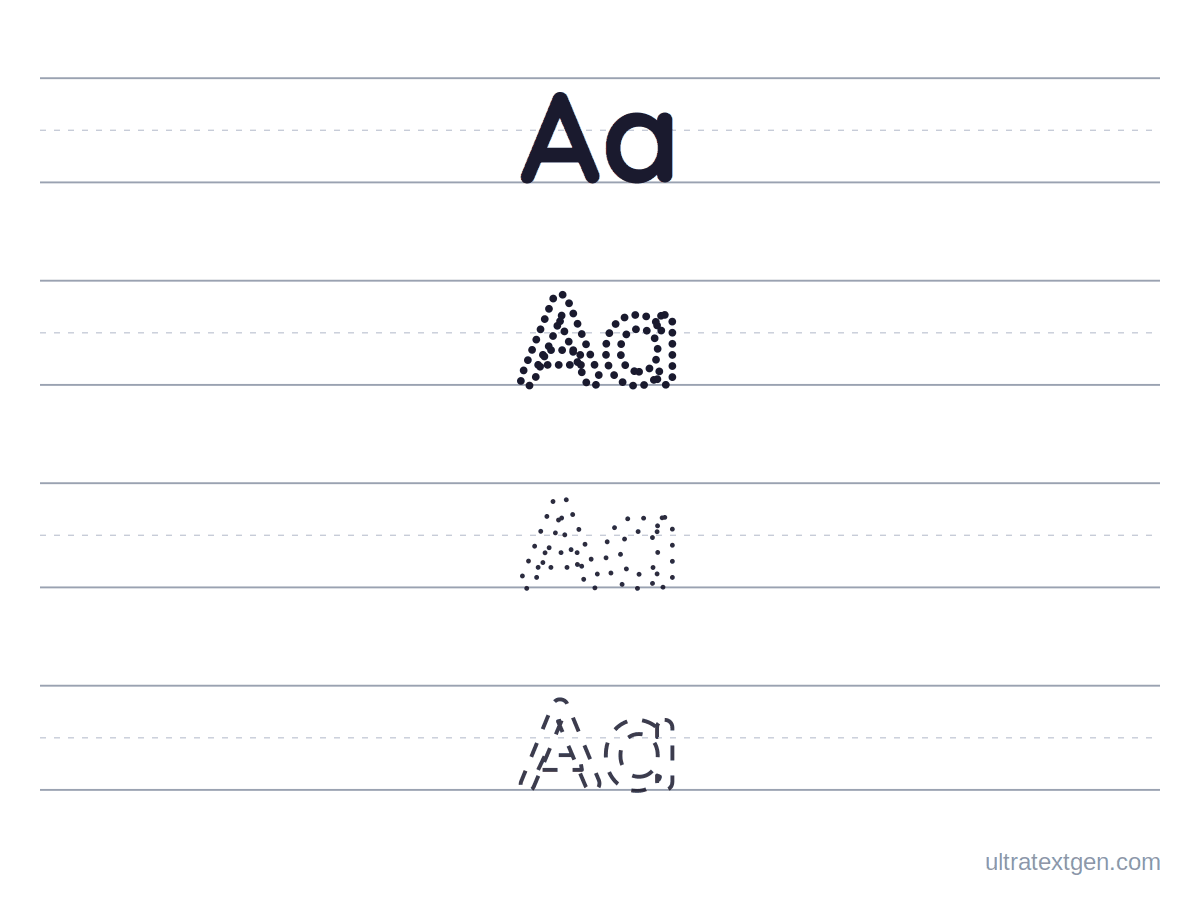
Printable tracing sheets for every letter A to Z, capital and lowercase. Take one letter, the whole alphabet,
or build a sheet for just the letters you are working on. Free, no sign-up.
Adds a numbered start dot and arrows to every traced letter, so a child can see which way each stroke travels. Off by default, because a child who already forms letters correctly does not need them.
Pick a letter to trace
Tap a letter to open it. You get a full page of that one letter to trace, a large outline to print on its own, and a PNG you can download. The numbers 0 to 9 sit at the end of the row, so the same page works for number tracing.
Print the whole alphabet in one go
The practice sheet gives you a ruled A to Z and 0 to 9, with a model and trace space on every row. The outline alphabet gives you hollow letters to trace around, colour in, or cut out.
Build a sheet for the letters you are working on
Most weeks a child is on two or three letters, not all twenty-six. Type just those, pick how much help the sheet gives, and the page rebuilds as you type. Numbers work the same way: type 1 2 3 4 5 and the sheet traces them. Set Letters to lowercase for lowercase letter tracing, or UPPERCASE for capitals.
Start by age optional shortcut
How much help the sheet gives nudge it up as they improve
Building at Level 2 · Bold dotted, thick, closely-spaced dots to join.
Live preview
Everything is built in your browser and nothing is uploaded. Download PDF keeps a copy you can print any time.
Getting the most out of letter tracing
Start at the dot Where a stroke begins decides whether a letter is being written or drawn. Switch on stroke direction and the start dot is marked for you.
Few letters, often Two or three letters practised daily beats a full alphabet once a week. Build a sheet for just the letters in hand.
Drop the help early Move from dotted to dashed to a blank line as soon as they can manage it. Tracing forever is a habit, not progress.
The method behind this: Where a letter starts and which way it travels matter more than how neat the finished shape is: Stroke Order, Start Dots and Arrows explains what a start dot is doing and when to drop it. For which letters to teach first, see First Letters.
Letter Tracing FAQ
Yes. In the builder, set Letters to lowercase and type the letters you want. The
sheet rebuilds in lowercase as you type, with the same stroke-direction arrows and the same choice of how much help
each row gives. UPPERCASE does the same for capitals, and As typed keeps whatever
mix you enter, so Bb Dd prints a capital and a lowercase of each.
Tap a letter in the strip above to open a full page of that character, then use Download PDF on the panel. For the whole alphabet at once, use Download PDF beside the heading for ruled rows with a model on each, or Download PDF under Print size for hollow letters. To practise only certain letters, type them into the
builder and print that instead.
Yes. There is no sign-up, no email, no watermark across the sheet and no limit on how many you print. Every sheet is
drawn in your browser, so nothing you type is uploaded anywhere.
Tick Show stroke direction and each letter gains a numbered dot where the pencil should start, plus an
arrow for the way each stroke travels. It matters because a letter traced bottom-up can look correct on the page while
teaching a motor pattern that slows writing down later.
Yes, on the name tracing worksheet page, which takes a class list and prints one
sheet per child with their own name. This page practises letters, so a sheet for the letters the class is on this week
prints once and copies for everyone.
Uppercase usually comes first, because capitals are built from straight lines and simple curves that start at the top,
which suits a hand still learning control. Lowercase follows once that is steady. There is a fuller answer in
which letters to start with.
Yes. Tap any number from 0 to 9 at the end of the strip for a full page of that number to trace. The ruled sheet
under Print the whole alphabet in one go ends with 0 to 9, and the builder takes numbers too: type
1 2 3 4 5 6 7 8 9 10 and print that.