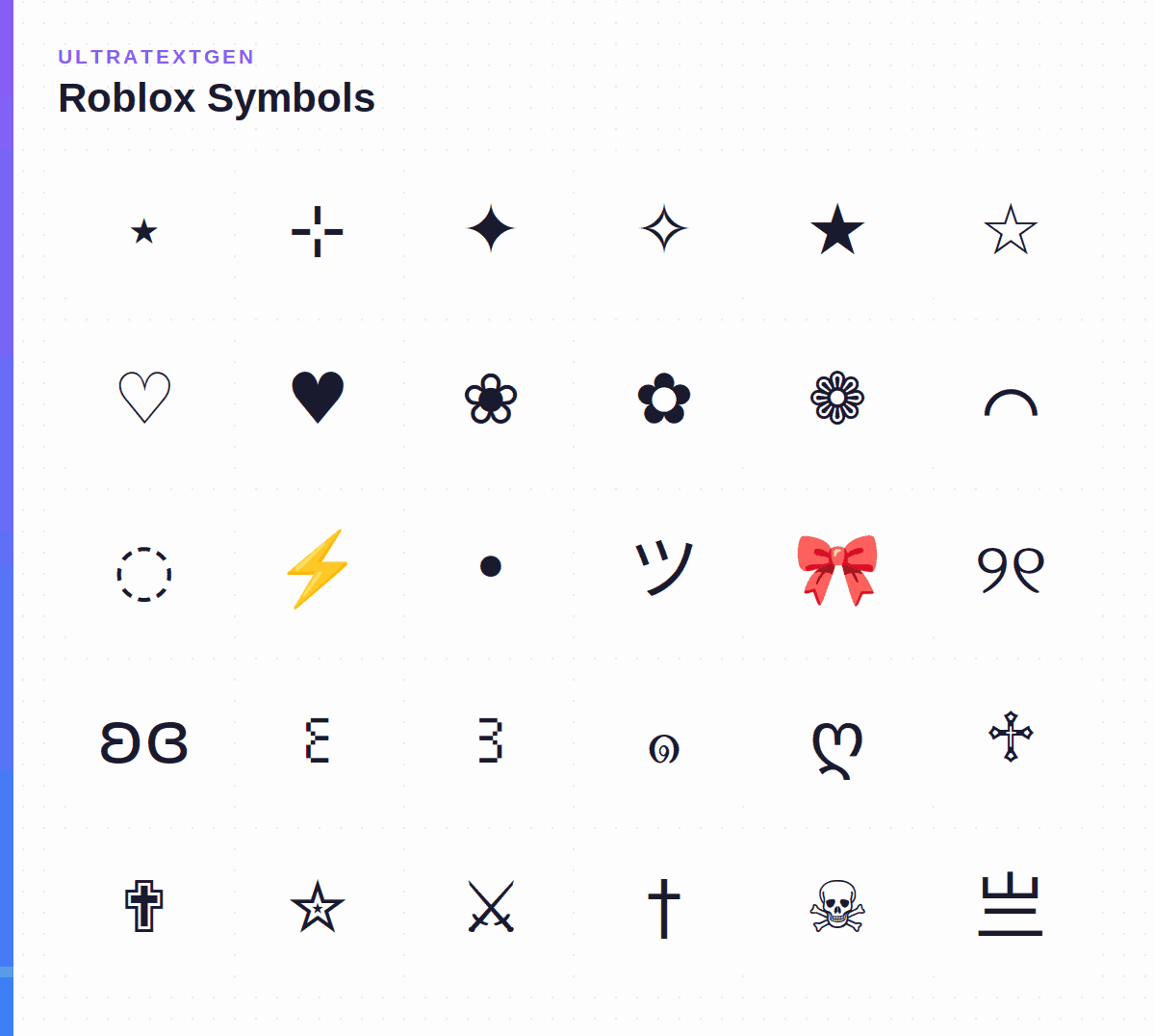
Aesthetic symbols for Roblox display names, bios, and groups. All characters tested to work with Roblox's name validator. Click to copy instantly.
Roblox allows Unicode characters in display names and bios, but some symbols get blocked by the content filter. These are the most reliable aesthetic symbols that display correctly in Roblox: stars, hearts, flowers, and cute decorations that pass the name validator. Whether you need a single roblox symbol for a clan tag or a full decorated combo, every character below is checked against the current filter: use them in your Roblox display name, group description, or bio.
Each roblox symbol below reliably passes Roblox's name validator and renders correctly in-game. Checked against Roblox's current name filter, last verified July 2026.
Single-character battle icons for a clan tag, sword-name, or edgy display name.
Want more clan-tag frames and HUD-style dividers? See Gaming Aesthetic Symbols.
Decorative "status" flex symbols: crowns, checkmarks, and diamonds players add near a name. These are ordinary Unicode characters; they don't grant or represent any real Roblox rank or badge.
Looking for more of either? See Crown & Royalty Symbols and Checkmark Symbols.
No, and this trips up a lot of searches. Roblox's actual Robux, Premium, and Verified icons aren't Unicode text at all. Per the official Roblox Developer Forum, those icons live in a small set of Private Use Area codepoints (U+E000–U+E003) mapped to glyphs in Roblox's own client icon font. They only render inside a game's UI, a TextLabel a developer builds in Roblox Studio, not in a display name, bio, or chat message, and not on any other website or app. Pasted anywhere else, they show up blank. If you just want the look, the crown, checkmark, and diamond symbols above are the closest paste-safe flourish: they just won't be mistaken for an actual Premium or Verified badge.
The trick to "matching" Roblox display names isn't a special symbol: it's using the exact same combo on both names so they visually pair up. The Star Name Combo, Crown Flex Combo, and Heart Wings Combo below all work well for this. Want two names that complement instead of match exactly? Try a sun-and-moon pair: one symbol per friend, same idea, different look.
Roblox uses an automatic content filter that may block some Unicode characters in display names and bios. Single-character symbols like ★ ♡ ✦ ❀ ⋆ are the safest. Multi-character combos and obscure Unicode blocks are more likely to be blocked or removed. If a symbol doesn't save in your display name, try a simpler single-character alternative from the Roblox-Friendly Symbols section above.
Want your Roblox display name to look empty? A real (but invisible) Unicode character does this: a literal space gets trimmed and the field rejected as empty, but these two characters aren't classified as whitespace, so they save. Roblox's filter treats them inconsistently, so if one gets rejected, try the other.
Full breakdown of why these work when a real space doesn't: Invisible Character and the wider Invisible Character library.
Kaomoji are faces made from text. These use keyboard characters plus ♡ and the katakana ツ, both already in the Roblox-Friendly Symbols section above (the shrug also uses the macron ¯, which that section does not list), rather than the rarer scripts many kaomoji borrow; those rarer characters are the ones most likely to show as boxes or be rejected. Each face is still a multi-character combo, which the filter note above says is more likely to be blocked than a single symbol, so if one won't save in your display name, rebuild it one character at a time to find the part that fails. More faces: the bunny kaomoji page and the full text faces and kaomoji library.
Ready-made decoration strings you can paste straight into a Roblox display name, bio, or group description: copy the whole combo in one click.
The Private Use Area codepoints behind Roblox's Robux, Premium and Verified icons come from the Roblox Developer Forum thread that documents them.
Single-character Unicode symbols such as ★ ♡ ✦ ❀ ⋆ ✧ are the most reliable: they pass Roblox's name filter and render in-game. Obscure Unicode blocks and long multi-character combos are more likely to be rejected. Every symbol in the Roblox-Friendly section above is chosen because it reliably saves.
Roblox runs an automatic content/name filter to keep names readable and safe. It rejects characters it can't validate: many decorative or rare Unicode characters, invisible characters, and some combos. If a symbol won't save in your display name, swap it for a simpler single-character alternative.
Click a symbol on this page to copy it, then paste it into Settings → Account Info → Display Name (or your group/bio field). Display name accepts symbols; the underlying @username does not: that field is letters, numbers, and one underscore only.
Yes. They are ordinary Unicode characters used for decoration, not exploits or workarounds, so using them in a display name or bio doesn't violate Roblox's rules. Just keep your overall name appropriate: the content filter still applies to the words around the symbols.
No. Those icons are private-use Unicode codepoints (U+E000–U+E003) mapped to glyphs in Roblox's own client icon font, documented on the official Roblox Developer Forum. They only render inside a game's UI that a developer builds in Roblox Studio: not in a display name, bio, chat, or anywhere off-platform. Pasted elsewhere they show up blank. The crown, checkmark, and diamond symbols in the Status & Rank section above are the closest paste-safe look, without claiming to be an official badge.
Roblox's name filter isn't perfectly consistent: behavior can vary by account region, app version, or which characters surround the symbol. If a combo fails, try pasting just the single symbol on its own first, then rebuild the combo one character at a time. Single-character picks from the Roblox-Friendly Symbols section are the most reliable starting point.
Roblox's display name field supports a wide range of Unicode (letters, numbers, and many symbols) but it's filtered, not fully open. There's no official published allow-list, so "supported" in practice means "passes the current filter," which can shift over time. The safest bet is the single-character picks in the Roblox-Friendly Symbols section above; multi-character combos and rarer Unicode blocks are more likely to be rejected.
It varies by account. Some players on the official Developer Forum report full CJK names like こんにちは or 안녕하세요 passing, but 2026 reports show Japanese display names rejected with an 'Unsupported characters' error. Latin letters with diacritics (é, ü, ł, and similar accented characters) get rejected too. Test the name in the display-name box before you commit to it.
Roblox trims real spaces at the start and end of a display name and rejects a field left empty after trimming, so a literal space alone won't save. Use an invisible character instead: Hangul Filler (ㅤ) or Braille Pattern Blank (⠀) from the Invisible & Blank Roblox Names section aren't classified as whitespace, so they hold a visual gap without getting stripped.
These symbols are for your display name. If you need an actual @username, the one that's your login ID, generate available options by vibe or length.
Generate an available Roblox username →Use UltraTextGen to convert plain text into bold, italic, cursive, and 100+ other Unicode font styles. Free and instant.
Open UltraTextGen →Generate available Roblox @usernames by vibe or length, with a live not-taken check.
Turn any name into Roblox-style stylized text, client-side, no download.
The official Roblox wordmark and UI font, explained.
The @username vs. display name distinction, and how to change each.
Curated aesthetic Unicode characters for bios.
Heart emojis and Unicode heart characters.
Stars and sparkle characters.
Soft feminine aesthetic symbols.
Cyber and dark Y2K aesthetic symbols.
Clan tag frames, HUD bars, and battle icons.
King, queen, and tiara symbols for a status flex.
Check marks and status icons to copy and paste.