Chart a word or name
Type a word, choose a stitch color and a grid style, and the chart builds live on the right, one square per stitch on a classic 5×7 alphabet. Print it, save a PDF, or download a PNG. Free, no sign-up.
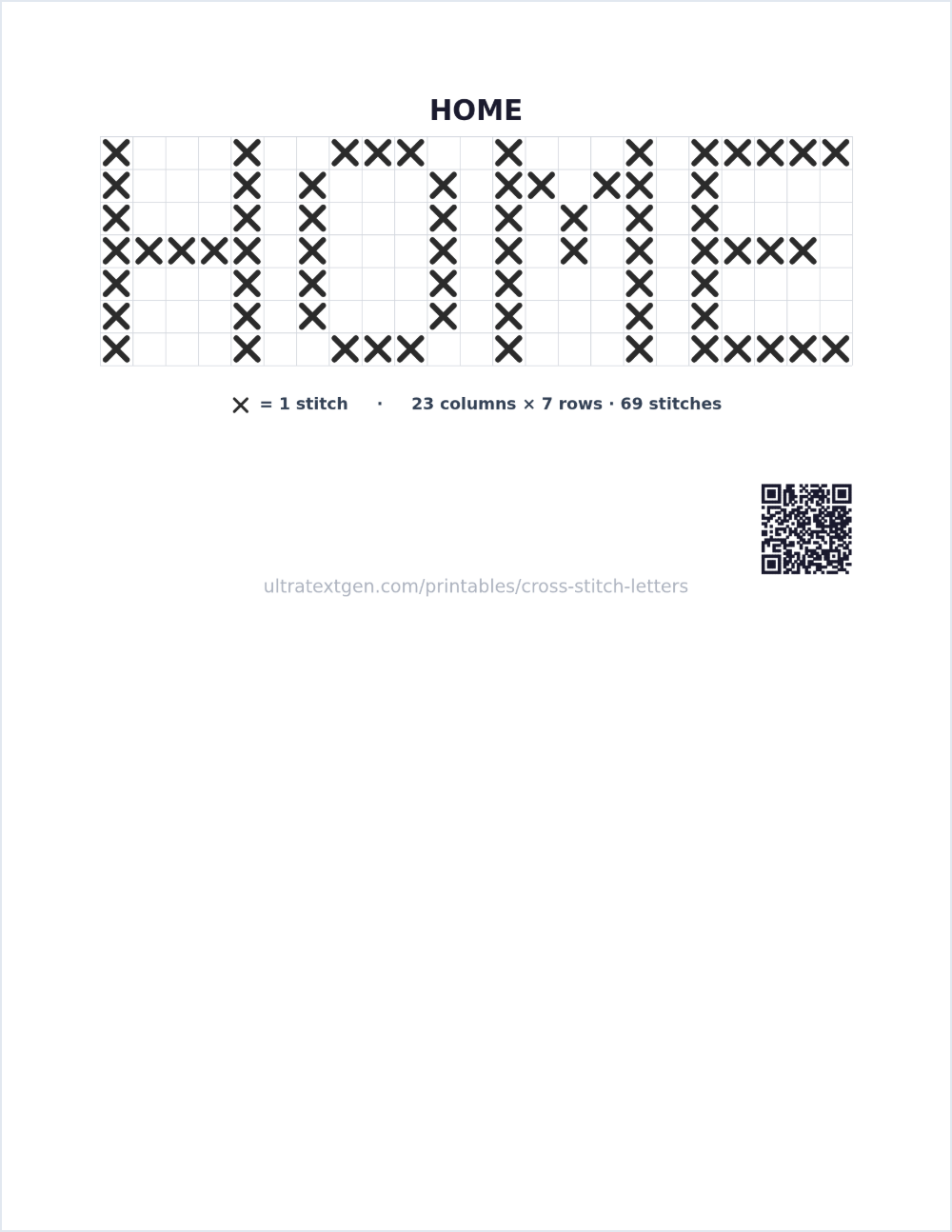
Runs entirely in your browser: nothing is uploaded. Download PDF keeps a copy you can print any time.
How to cross-stitch a name or word
Each letter here is drawn on a 5×7 grid, where every filled square is one cross-stitch, an X made from two diagonal stitches over a single square of fabric. Type a word or name and the whole chart builds live, one square per stitch, with the exact column and row count in the legend so you can plan where it lands.
Reading the chart
Work the chart left to right, and count out from the center of your fabric so the word ends up where you want it. Each square on the grid is one X stitch; the Cross style shows every stitch as an ✕, while Filled shows it as a solid block for a simpler, pixel-art read. Use whichever is easier to follow while you stitch: the pattern is the same either way.
Estimating the finished size
Cross-stitch size depends on your fabric's count: the number of stitches per inch. To estimate how wide your word will be, divide the chart's column count by your fabric's count. On 14-count Aida cloth there are 14 stitches to an inch, so a chart 23 columns wide works out to about 23 ÷ 14 ≈ 1.6 inches across; the seven rows are half an inch tall. Lower counts like 11-count come out bigger per stitch, and higher counts like 18-count come out smaller. Use the same simple division for your own word and cloth.
Want a flowing script name instead of blocky charted letters? Try the cursive practice sheets or the copy-paste cursive text generator. You can also browse every sheet in the printables library.
Prefer a name you can copy and paste?
Type once and copy flowing Unicode script for bios, captions, tags, and signatures, no image needed.
Open the cursive text generator →