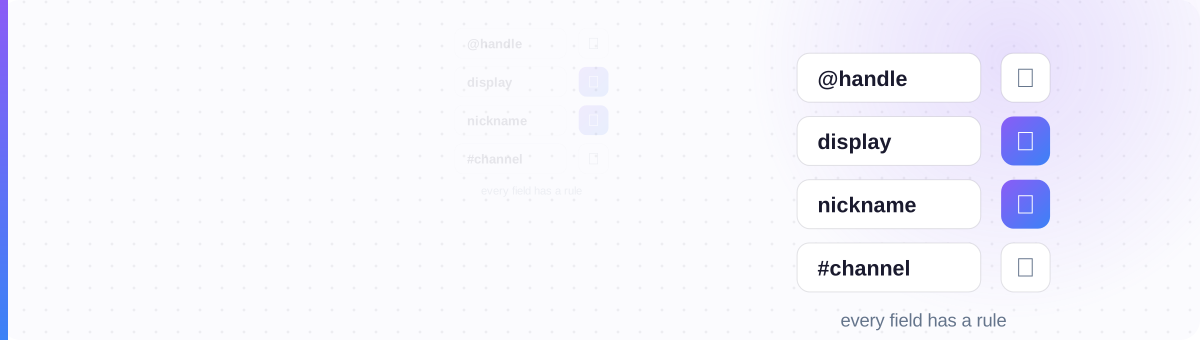
Discord Isn't Inconsistent: Each Field Has a Job
The trial-and-error loop goes like this: you style your name with a generator, paste it into one Discord field and it saves beautifully. You paste the same text into another field and Discord flatly refuses. Same characters, same account, opposite results. It feels arbitrary.
It isn't. Discord's fields split cleanly into two families. Identity fields are the ones other systems depend on: mentions, friend requests, moderation logs, account recovery. There's exactly one: your unique @username, and it's locked down to a tiny character set so it can never be spoofed, mistyped, or rendered differently on different phones. Presentation fields are everything people look at: display names, nicknames, role names, server and channel names, your About Me. Those are wide open, because nothing critical routes through them.
Once you see the two families, every "why won't this save?" answers itself. You're never fighting a bug; you're just pasting presentation-grade characters into an identity-grade field. The fix is always the same: move the styling one field over.
Username vs Display Name: Why "Invalid Username" Happens
This single confusion produces more failed attempts than everything else combined. Since Discord dropped the old four-digit discriminators, every account has two names, and they follow opposite rules:
- The username: your unique handle, shown with an @ in your profile. Allowed characters: lowercase
a–z,0–9,_and.– nothing else. Not capital letters, not spaces, and definitely not 𝓬𝓾𝓻𝓼𝓲𝓿𝓮. Anything outside that set triggers the "invalid username" error. - The display name: the big friendly name shown in chat and on your profile. It accepts spaces, capitals, emoji, and any Unicode font characters you can paste.
So the pattern that works is boring on the inside and styled on the outside:
Inside a server you get a third layer, the server nickname, which overrides your display name for that server only, and it's just as permissive. Style it per community: ୨୧ 𝒩𝑜𝓋𝒶 ୨୧ in the book club, 𝗡𝗢𝗩𝗔 in the esports server. A nickname generator handles the character-mapping for you.
The Field Permission Matrix
Here is the entire map: every text field in Discord, what each one accepts, and why. Bookmark this table and the guessing ends.
| Field | Markdown? | Unicode fonts? | Emoji? | Why it's built this way |
|---|---|---|---|---|
| Username (@handle) | ✗ | ✗ rejected | ✗ | Identity key. Only a–z 0–9 _ . — must be typeable, unique and unspoofable for mentions and friend requests |
| Display name | ✗ shows literally | ✓ | ✓ | Pure presentation — shown in chat, never used for routing |
| Server nickname | ✗ shows literally | ✓ | ✓ | Per-server presentation; overrides your display name in that server |
| Role name | ✗ shows literally | ✓ | ✓ | A label, not an ID — hoisted roles display it in the member sidebar |
| Server name | ✗ shows literally | ✓ | ✓ | Branding surface; invites and discovery show it as-is |
| Channel name (text) | ✗ | ✓ passes through | ✓ | Auto-lowercased and hyphenated for URL-like consistency — but only ordinary A–Z is touched |
| Channel topic | ✗ mostly literal | ✓ | ✓ | Description surface; treat it as plain text plus Unicode |
| About Me / bio | ✓ basics (bold, italic, links) | ✓ | ✓ | Profile card runs a lightweight renderer |
| Messages | ✓ full engine | ✓ | ✓ | The chat surface — the only place the complete Markdown engine runs |
Read the columns top to bottom and the logic jumps out: exactly one row rejects Unicode, and exactly one row runs full Markdown. Everything between is the open middle: paste-in styling welcome, rendered styling ignored. That's the whole system.
The Channel-Name Quirk: Auto-Lowercase, Auto-Hyphen
Text channel names get silently rewritten on save: ordinary capitals are lowercased and spaces become hyphens, which is why General Chat comes out as #general-chat. People read this as "Discord stripped my styling." Look closer: it only touched the plain letters.
The math-bold 𝗚 isn't an ordinary capital G, it's a different Unicode character, so the lowercasing rule skips it. That's the loophole behind every server you've seen with capitalized, decorated channel lists. Two footnotes: voice channels and categories aren't normalized at all (spaces and plain capitals survive there), and category headers are where symbol dividers like ─── and ╭─ do their best work.
Where Markdown Works: and Where It Just Sits There
Markdown is the other kind of styling: symbols like **bold** that Discord converts when it renders a message. The matrix shows its territory is tiny: messages, plus basic formatting in your About Me. Type **Nova** into a nickname field and the asterisks save as literal characters, because name fields are stored and shown raw; there's no renderer pass to convert them.
That's the practical split to remember: rendered styling (Markdown) for what you say, pasted styling (Unicode) for what you're called. The full mechanics (spoiler tags, code blocks, the Nitro layer and the classic "why won't my asterisks bold" mistakes) live in our companion guide, Discord Text Formatting, Decoded.
One special case worth flagging: colored text. It exists only inside messages, only via ANSI code blocks, with eight fixed colors and shaky mobile support. No name field anywhere in Discord accepts color. The whole technique is covered in the Discord colored text guide.
When You Shouldn't Style a Field (Even Though You Can)
"Accepts Unicode" is a permission, not a recommendation. Three costs come with a styled name, and they're worth weighing before you commit:
Ctrl+K, member search and mention autocomplete match literal characters. Typing "aesthetic" will never find 𝕬𝖊𝖘𝖙𝖍𝖊𝖙𝖎𝖈: they share zero characters.
Assistive tech may read 𝕹𝖔𝖛𝖆 as "mathematical fraktur capital N…" or skip it entirely. Details in the accessibility guide.
Ornate styles can render as □□□□ on older devices. See why fonts show as boxes for the safe-style tiers.
My rule: style the fields people look at, keep plain the fields people type. A display name and category headers? Style away: bold, small caps and light symbols read fine almost everywhere. A busy text channel that members search daily, a role that mods ping constantly, a server name you want discoverable? Keep those plain or nearly plain. And skip zalgo in names entirely: many large servers auto-moderate it, and it's the style most likely to break rendering.
Discord locks the key so the costume can be anything.
Style a Discord-ready name →
Generate a device-safe Unicode name, then paste it into your display name, nickname, or channel list, every field the matrix marks open.
Open the Discord Font Tool →