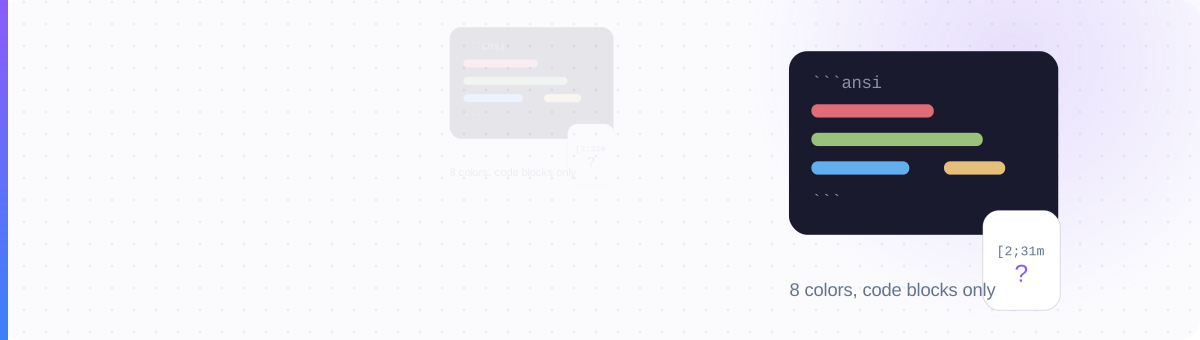
It's a Code-Block Trick, Not a Formatting Feature
Search "discord colored text" and you'll find two kinds of people: the ones excitedly posting rainbow announcements from their desktop, and the ones asking why their message looks like [31mHELP[0m on their phone. Both are looking at the same feature. Neither was told what it actually is.
Here's what it actually is. Discord's code blocks support syntax highlighting for programming languages: you fence a block with three backticks, name a language, and Discord tints the code. One of the "languages" it recognizes is ANSI: the escape-code system terminals have used to color text since the 1970s. Somebody noticed that a code block tagged ansi obeys those old terminal color codes, and a folk feature was born.
That origin story explains every limitation you're about to hit. It's why the color only works inside a monospaced code box, why the palette is eight terminal colors instead of a color picker, and why the mobile apps, which never promised terminal emulation, often don't render it at all. Colored text in Discord is real. It's just narrow, and it was never designed for you. This guide is part of a series; for the full map of Discord's text systems (Markdown, Unicode, Nitro), see Discord text formatting decoded: this page zooms all the way in on the color trick alone.
The Worked Example: Fence, Color On, Color Off
An ANSI message has three parts: the fence, the color code, and the reset. In the examples below, ␛ stands for the escape character, more on that trap in a moment. A red status line looks like this:
Reading it left to right: the ```ansi fence opens a code block in ANSI mode. ␛[31m switches the foreground to red (color 31). The text renders red until ␛[0m, code 0, resets everything back to default. Close the fence and you're done. You can stack codes with semicolons: ␛[1;32m means bold (1) and green (32) in one sequence.
Two habits will save you debugging time. First, always reset with ␛[0m at the end of a colored run, otherwise the color bleeds into everything after it inside the block. Second, keep lines short: it's a monospace code box, so long lines wrap awkwardly and the terminal aesthetic collapses.
The Entire Palette: 8 Colors, 2 Effects, 1 Reset
This table is the whole feature. There is nothing beyond it: no hex, no RGB, no 256-color mode. If your plan needs a ninth color, your plan needs a bot embed instead.
| Code | Foreground | Code | Background |
|---|---|---|---|
30 | Gray | 40 | Dark blue-gray |
31 | Red | 41 | Rust |
32 | Green | 42 | Slate green-gray |
33 | Yellow / gold | 43 | Gray |
34 | Blue | 44 | Light gray |
35 | Pink / magenta | 45 | Indigo |
36 | Cyan | 46 | Pale gray |
37 | White | 47 | Off-white |
Plus three modifiers: 1 = bold, 4 = underline, 0 = reset everything. Combine with semicolons: ␛[4;36m is underlined cyan, ␛[1;37;41m is bold white on a rust background. That last pattern (37 on 41) is the closest thing ANSI has to a warning banner, and it's about as loud as this feature gets.
The Escape-Character Trap
Here is the single mistake behind most "ANSI not working" posts. The ␛ in every example on this page is a stand-in for the ESC control character, Unicode U+001B. It's a real character, but an invisible one: it has no glyph, and there is no key on your keyboard that types it into a chat box. Tutorials render it as \e, ^[ or ␛ so you can see where it goes, and readers faithfully type those visible characters, which are just a backslash-and-letter or a caret-and-bracket. Dead text.
You copy \e[31m from a screenshot as ordinary text. Discord shows exactly that: \e[31mHELLO in plain monospace. No ESC character, no color.
You paste a block generated by a tool that embeds the genuine U+001B before each [31m. Discord eats the invisible character and paints the text red.
The practical consequence: ANSI blocks are pasted, not typed. People build them in a colored-text generator or a text editor that can insert control characters, then paste the finished block into Discord. If your colors ever stop working after editing a message on a different device, suspect the ESC characters got stripped in transit: some keyboards and clipboard managers silently delete control characters. It's the same class of invisible-character problem covered in how Unicode fonts work: what you see in a text field is not always what's in it.
The ANSI Reality Check
Before you put colored text anywhere that matters (rules channel, event announcement, server welcome) run it through four questions. This is the whole decision in thirty seconds.
- 1. Is it in a code block? ANSI only lives inside a
```ansifence. If you wanted a colored word inside a normal sentence, the answer is already no: that feature does not exist in Discord. - 2. Is monospace-in-a-box acceptable? Your colored text will sit in a gray code box in terminal font. For patch notes and status boards that's a vibe; for a heartfelt announcement it reads like a stack trace.
- 3. Will mobile readers matter? If the people who need this message are on phones, assume a large share will see raw codes or no color at all.
- 4. Do 8 colors cover it? No brand hex, no gradients, no exact matches. Red-green-yellow status semantics work; "our server's signature lavender" does not.
If any answer is no, don't force it. Use a bot embed (colored strip, any hex, renders identically everywhere) or skip color and use structure instead. Four yeses? Go ahead: it's a genuinely fun trick in its lane.
And here's the support matrix behind question 3, what each client actually does with an ANSI block:
| Client | Renders ANSI color? | What readers see when it fails |
|---|---|---|
| Desktop app (Win/Mac/Linux) | Yes, reliable | — |
| Web browser | Yes, reliable | — |
| iOS app | Unreliable — often no | Raw codes like [31m sprinkled through the text, or a plain uncolored block |
| Android app | Unreliable — often no | Raw codes or plain monospace, varying by app version |
Mobile support has flickered across app versions and may improve, but the planning rule stands: treat desktop as the audience and mobile as the failure case. Write the message so it still makes sense when the color vanishes and a few [0ms photobomb it.
When Not to Use It: and What to Use Instead
Our position, plainly: ANSI color is a party trick worth knowing and a foundation worth nothing. Don't build a server's visual identity on a rendering quirk that half your members can't see. Specifically, skip ANSI when:
- The message is load-bearing. Rules, safety info, event times: anything people must read should never depend on a fragile render. A phone user staring at escape codes is worse off than one reading plain text.
- You're coloring for identity, not status. If the goal is "our announcements look branded," you want a bot embed: embeds accept any hex color for their side strip, support real headings and links, and render identically on every client. That's the reliable colored-message technology in Discord.
- You actually wanted styled names or inline emphasis. ANSI can't touch usernames, nicknames, channel names or normal sentences. For those, the working system is Unicode styled characters. See exactly where fonts work in Discord for the field-by-field map, and mind the device-support caveats that come with Unicode styles.
The honest hierarchy for making Discord text stand out: Markdown first (free, accessible, universal), embeds for color that must survive every screen, Unicode styles for names and the occasional emphasized phrase, and ANSI last, for desktop-heavy communities that will enjoy a terminal-flavored status board precisely because it looks like a terminal.
Enjoy it on desktop.
Just never write a message that needs it to survive.
Style text that works in every field
Color dies outside code blocks: Unicode styles don't. Generate a bold, cursive or small-caps version of your name and paste it into your display name, nickname or bio.
Style text that works in every field →