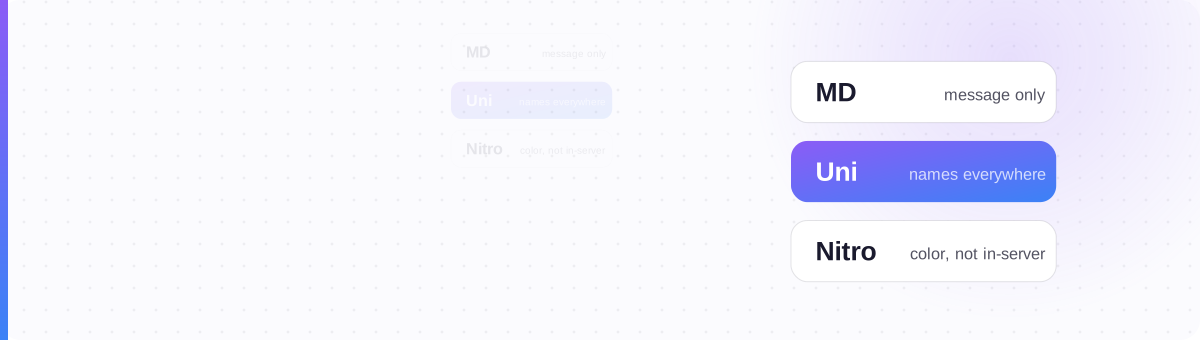
It's Not Fonts: It's Three Different Systems
Almost every Discord "why won't my text work" question comes from blurring three things that have nothing to do with each other. Discord teaches you Markdown in chat, so you assume the same trick should style your name. It doesn't: names run a different system entirely.
Here's the whole territory in one frame. Learn which system each field uses and you'll never be surprised again.
| System | What it is | Where it works | The catch |
|---|---|---|---|
| Markdown | Symbols Discord renders (**bold**, *italic*, ~~strike~~, ANSI color) | Messages only | Dies in every name field; ANSI color is desktop-only |
| Unicode "fonts" | Substitute characters that already look styled (𝗯𝗼𝗹𝗱, 𝓬𝓾𝓻𝓼𝓲𝓿𝓮) | Display name, nickname, server/channel/role names, bio, messages | Can render as boxes; breaks screen readers; rejected in the @username |
| Nitro styles | Paid Display Name Styles: real font + color + effects | Your display name | Color/effects don't show inside servers (role color wins); costs money |
Markdown: for Messages
Markdown is the formatting Discord applies when it displays your message. You type symbols around your words and Discord swaps them for real styling.
**bold**→ bold*italic*→ italic~~strikethrough~~→ strikethrough__underline__→ underline||spoiler||→ hidden until clicked> quoteand`code`
This is the right way to format a message: it stays real text, so it's searchable and accessible. Since 11 August 2026 you don't have to memorise the symbols in one specific place: Discord's desktop profile editor now has a visual formatting toolbar for your bio, which writes the same markdown for you. Nothing about the syntax itself changed, and message boxes still expect you to type it. The catch is the two mistakes that make it "not work":
** text ** — a space inside the asterisks cancels it. Use **text**.
Inside a `code block`, backticks switch Markdown off. Move the styling outside.
And the big one: Markdown does nothing in a username, nickname, server name or channel name. Those aren't messages, so Discord never runs Markdown on them.
Unicode "Fonts": for Names
To style a name, you can't ask Discord to render anything, so you use characters that already look styled. A generator turns "Nova" into 𝗡𝗼𝘃𝗮 or 𝓝𝓸𝓿𝓪 using special Unicode characters, and you paste the finished result straight into the field. No rendering required, so it survives where Markdown can't.
This works in your display name, server nickname, server and channel names, role names, your bio, and messages. There's exactly one place it's blocked:
_ and . – for mentions, search and routing. Paste a fancy font there and Discord refuses to save it. Style your display name instead.For the exact per-field rules, which characters and limits each field (username, display name, nickname, server, channel, role, bio) actually allows, see Discord allowed characters.
Two honest caveats, both covered in depth elsewhere: Unicode names can show as boxes on some devices (especially older Android), and they're hard for screen readers. Pick a safe style (bold, italic, small caps) and keep it tasteful: many large servers moderate hard-to-read or zalgo names.
Nitro Display Name Styles: Paid, and Narrower Than You Think
Discord's paid Nitro tier offers Display Name Styles, a feature added in late 2025: a real font, color and even animated effects applied to your display name. It looks great on your profile card. But there's a catch people discover the hard way:
Free accounts can open the menu and preview a style, but saving one is Nitro-only: that preview-then-paywall is exactly why so many people now ask whether Nitro is required for fonts at all. It's a fair question about this specific feature; it isn't a change to Unicode styling, which stays free regardless.
So Nitro is worth it if you want a polished profile card and a distinct display font everywhere. It's not the way to get colored text into a conversation. That's a different tool (next section).
What About Colored Text in Messages?
Colored text in a message is a fourth, narrower trick: ANSI code blocks. You wrap text in a triple-backtick block tagged ansi and add escape codes for color. Be clear-eyed about the limits:
- Only eight fixed colors: no custom hex.
- Code-block only: it can't color a normal sentence inline.
- Unreliable on mobile: it frequently renders as plain text for phone users.
Useful for a desktop-first server's warnings or logs; not a general styling tool. If half your members are on mobile, assume they won't see the color.
Which System Do You Need?
| I want to… | Use |
|---|---|
| Bold/italic a word in a message | Markdown **…** |
| Style my display name or nickname | Unicode font (paste it in) |
| Decorate a server or channel name | Unicode font + symbols |
| Change my unique @username's look | Not possible — style the display name instead |
| A colored, animated profile name | Nitro Display Name Styles |
| Colored text in a message | ANSI code block (desktop, 8 colors) |
You used the chat system on a name field.
Match the system to the field, and it just works.
Make a Discord-ready name
Generate a device-safe Unicode style, copy it, and paste it into your display name or server nickname, no Nitro required.
Open the Discord Font Tool →