You Didn't Break Anything. TikTok Repainted the App.
One day you open TikTok and everything reads slightly wrong. Usernames look rounder. Captions feel wider. Comments have a different rhythm. Your first instinct is that an update reset a setting, so you go digging through Settings & Privacy for a "font" option, and find nothing, because there was never a font option to begin with.
What happened is simpler and more annoying: TikTok rolled out TikTok Sans, its own custom-designed typeface, across the entire interface. Every label, every comment, every caption on screen is now drawn in TikTok's in-house font instead of the look you'd gotten used to. It shipped silently inside an app update, which is exactly why it feels like something broke. Nothing broke. The app changed its own skin, the way it might change an icon or a button color.
This guide gives you the honest version of the answer people search for: no, you can't get the old font back, and then shows you the part of TikTok's text that is genuinely yours to control, which is bigger than most people realize.
What TikTok Sans Is, and Why Platforms Swap Fonts at All
TikTok Sans is a bespoke typeface TikTok commissioned for itself, the same move Netflix made with Netflix Sans, Airbnb with Cereal, and YouTube with YouTube Sans. Platforms keep doing this for three unglamorous reasons:
- Branding. A custom typeface makes the app look like itself on every phone, instead of inheriting whatever the operating system provides. The font becomes part of the logo, effectively.
- Licensing. Renting a commercial font at TikTok's scale costs real money forever. Owning a typeface is a one-time purchase that never sends another invoice.
- Screen legibility. A commissioned font can be tuned for exactly what the app does: dense comment threads, small captions over video, dozens of scripts and languages, all at phone sizes.
Notice what's missing from that list: your preference. The interface font is a company-level decision, which is precisely why no toggle exists for it. Asking TikTok for a "classic font" switch is like asking it for a "classic logo" switch, coherent as a wish, but not how platform branding works.
The UI-Font vs Your-Font Split
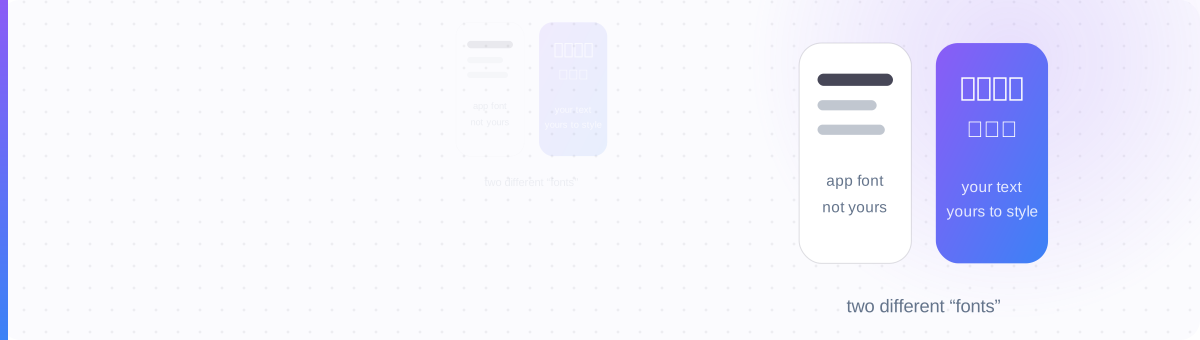
Here is the model that untangles the whole confusion. On TikTok, on any platform, there are two completely different things people call "the font," and they live on opposite sides of a wall:
- The app's font (UI font). The typeface TikTok uses to paint everything: menu labels, button text, and the rendering of comments, nicknames and captions on screen. It's set by TikTok, it changes when TikTok updates, and no user setting can revert it. It's skin.
- Your font (your text). The actual characters inside your nickname, bio and captions. That's data you typed, and Unicode gives you thousands of styled characters to type with: 𝗯𝗼𝗹𝗱, 𝘪𝘵𝘢𝘭𝘪𝘤, 𝓈𝒸𝓇𝒾𝓅𝓉, ꜱᴍᴀʟʟ ᴄᴀᴘꜱ. Because it's data and not skin, it survives every redesign and every update untouched.
Run any "TikTok changed my font" complaint through this table and you'll know in seconds whether there's anything to do about it:
| What changed / what you want | Which side of the wall | Can you change it? |
|---|---|---|
| Menus, buttons and labels look different | App's font | No — that's TikTok Sans, set by TikTok |
| Comments and captions render in a new typeface | App's font | No — same rollout, no revert toggle |
| Text across the app feels too small or too thin | App's font (rendering) | Partly — device accessibility settings: font size, bold text |
| You want a styled nickname, e.g. 𝗠𝗔𝗬𝗔 ✦ | Your font | Yes — paste Unicode characters, fully yours |
| You want a styled bio or caption line | Your font | Yes — same trick, survives every update |
| You want the whole app back on the old typeface | App's font | No — it was never a preference |
The pattern is blunt: everything on the app's side is locked, everything on your side is open. The productive move is to stop rattling the locked door and start using the open one.
Why There's No Revert Toggle: and the One Lever You Do Have
Let's not bury it: there is no hidden setting, no code, no region trick that restores TikTok's old font. Guides promising one are either describing device-wide font hacks (which don't override TikTok's bundled typeface) or padding out the same "no" with extra steps. The font ships inside the app binary. When TikTok updates, the font updates, for everyone, at once.
The one honest lever lives outside TikTok entirely: your device's accessibility settings. System-level text controls do influence how the app renders:
- Font size (iOS: Settings → Accessibility → Display & Text Size; Android: Settings → Display → Font size) scales TikTok's text up or down. If the new typeface feels cramped or thin, this is the adjustment that actually works.
- Bold text (both platforms) thickens system-rendered text, which many apps (TikTok included, in most surfaces) respect.
These won't bring the old letterforms back, but they fix the complaint underneath many of these searches, which is usually "the new font is harder for me to read" rather than nostalgia for specific curves. If readability is the real issue, size and weight are the levers that matter, a point our fonts and accessibility guide makes about every platform, not just this one.
The Text You Can Style: Nickname, Bio, Captions
Now the good news. TikTok has never offered font settings for your text either, and yet styled nicknames and bios are everywhere. That's because they don't use a font at all. They use Unicode characters that look like other typefaces: the bold 𝗮 is a genuinely different character from a plain a, so it pastes into any text field and renders styled without TikTok's permission or cooperation. (The full mechanics are in how Unicode fonts work.)
Paste-styled text is immune to the exact problem this page is about. TikTok Sans changed how your plain letters are painted, but a Unicode character you chose stays the character you chose, through this redesign and the next one. Here's what the upgrade looks like in practice:
The workflow takes seconds: type your text into the TikTok font generator, tap the style you want, copy, and paste it into your profile or caption. For deeper treatment of each field, the nickname generator and bio font pages cover their specific length limits and quirks.
When NOT to Style Your TikTok Text
Redirecting your frustration into styled text is satisfying, but it comes with trade-offs a fair guide has to name:
- Fancy styles can show as boxes on other devices. Styled characters are drawn by each viewer's phone. Decorative styles like 𝔉𝔯𝔞𝔨𝔱𝔲𝔯 or 𝕕𝕠𝕦𝕓𝕝𝕖-𝕤𝕥𝕣𝕦𝕔𝕜 can render as □□□□ on older Androids. Stick to bold, italic and small caps for anything that must be read, and see why fonts show as boxes before committing a style to your bio.
- Styled captions can hurt search. TikTok's search indexes your caption keywords, and a caption written as 𝓅𝒶𝓈𝓉𝒶 𝓇𝑒𝒸𝒾𝓅𝑒 is not the same string as "pasta recipe." If a caption is doing SEO work, keep the keywords plain and save styling for flourish words.
- Screen readers struggle with decorative styles. Some read styled characters letter-by-letter as "mathematical bold capital M…" or skip them. If accessibility matters to your audience, and it should, keep load-bearing text plain.
- Don't style everything. A fully-styled bio reads like a fully-bolded email. One styled line above plain text out-performs a wall of script every time.
The rule that survives all four caveats: style the flair, keep the facts plain.
You own the words.
You can't change how the app draws its labels, but every character in your nickname, bio and captions is yours.
Style the text you DO control →
The app's font is locked; your nickname, bio and captions aren't. Pick a style, copy it, paste it into TikTok: it survives every update because it's your text, not their skin.
Open the TikTok Font Generator →